Codex agents command center: what the 0.167.0 and 0.169.0 notes say
The Codex CLI 0.167.0 notes cover codex agents --no-daemon, unread markers and backend switching with drafts kept. See what 0.169.0 search adds and what the notes omit.

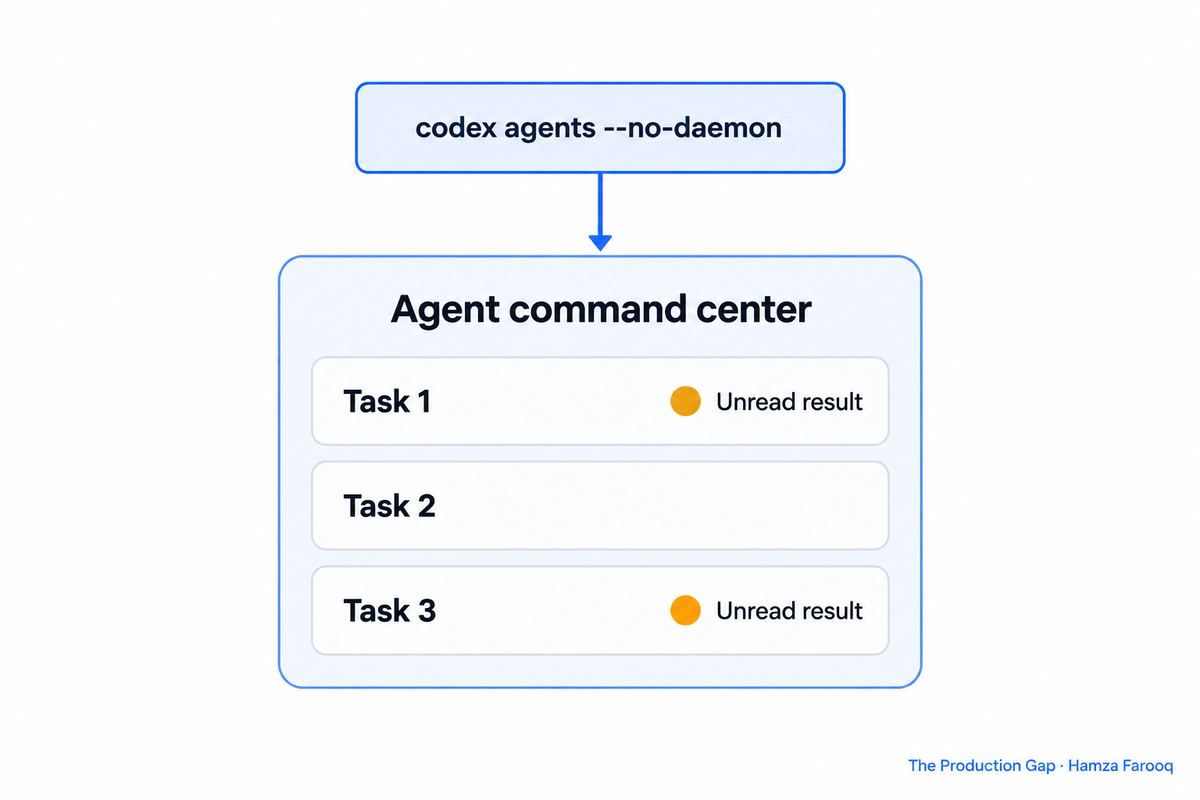
The Codex agents command center is a terminal interface for agent tasks. The Codex CLI 0.167.0 release notes tell you to open it with codex agents --no-daemon, and they list unread-result markers and backend switching that keeps your drafts. Version 0.169.0 then added search across older tasks by name, prompt preview or working directory.
TL;DR: Codex CLI 0.167.0, released 6 November, opens the agent command center with codex agents --no-daemon. The command center and the session picker mark unread results. You can switch between connected backends from the session picker and keep your drafts. Version 0.169.0, released 13 November, adds search over older tasks by name, prompt preview or working directory.Key Takeaways
- One command: the 0.167.0 release notes say to open the command center with
codex agents --no-daemon. - Unread markers: both the command center and the session picker mark unread results.
- Backend switching: you can switch between connected backends from the terminal session picker and keep your drafts.
- Search: 0.169.0 searches older tasks by name, prompt preview or working directory.
- Open questions: the release notes do not explain what
--no-daemondoes or which backends you can connect.
What is the Codex agent command center?
The agent command center is a screen in the Codex terminal interface for managing agent tasks, and the 0.167.0 release notes tell you to open it with codex agents --no-daemon. The page does not say what the --no-daemon flag changes, so this article does not guess at it.
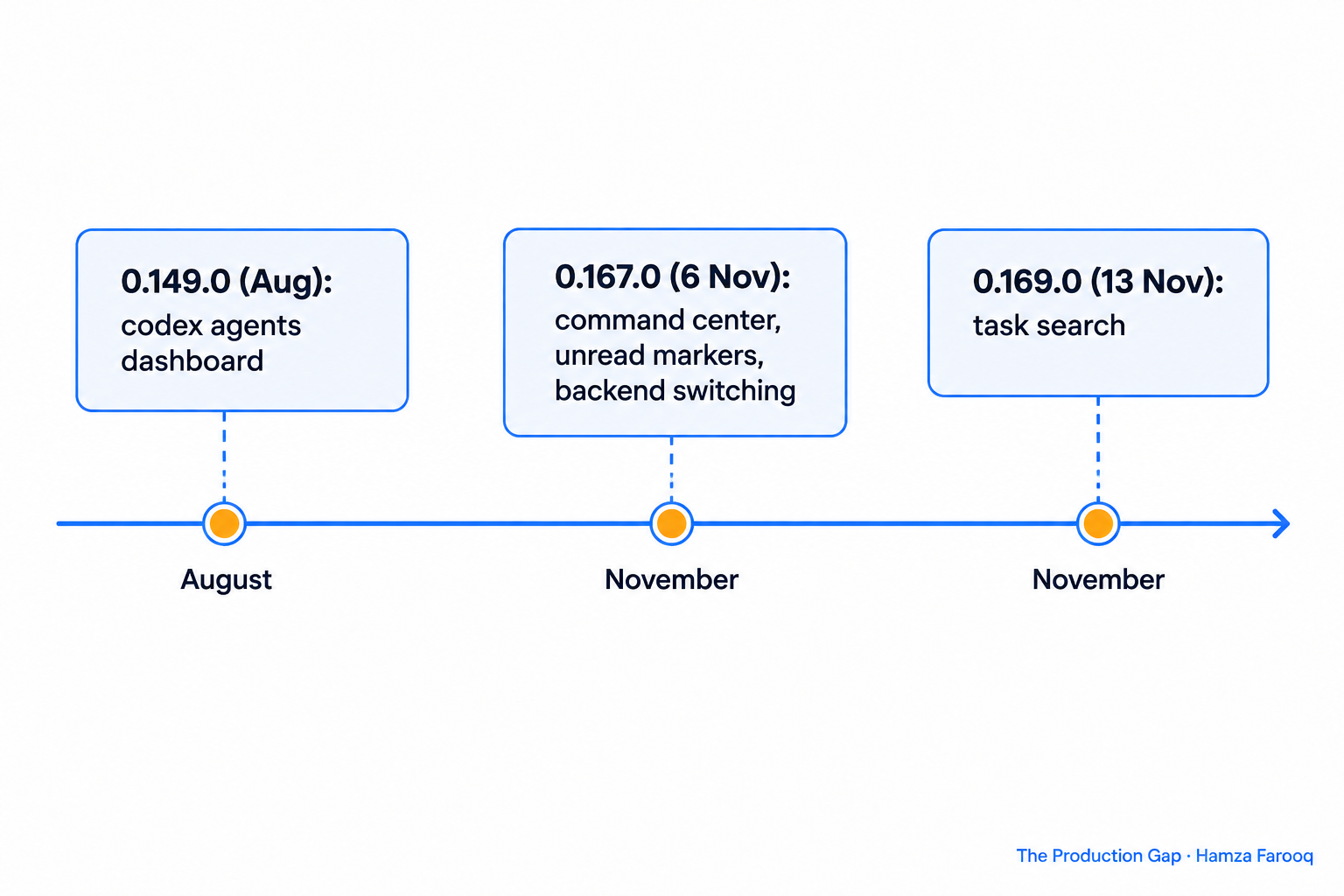
Version 0.149.0, released in August, added an interactive codex agents dashboard, which the 0.149.0 release notes describe as being for "searching, starting, opening, renaming, and stopping tasks." The same release added codex queue, described there as a way of sending messages to existing local or remote sessions.
How do unread markers change the way you supervise agents?
Two changelog entries in the same release cover both screens. One shows unread sessions in the picker and acknowledges viewed transcripts. The other shows unread results in the command center. The notes do not describe how a marker clears.
A third-party article on the earlier dashboard, published on 23 August, describes how its author handled tasks on the older dashboard. The article groups tasks into three attention states: need input means the agent is blocked on you, working means you should usually leave it alone, and ready means there is something to review. That is one writer's habit, described for the older dashboard, not a Codex feature list.
Can you switch backends without losing your draft?
Yes, according to the release notes: you can switch between connected backends from the terminal session picker and keep your drafts when switching. Related changelog entries reuse connected backends in the in-app resume picker and enable cross-backend session switching in the terminal interface.
The notes leave things open. They do not name which backends can be connected or define what counts as a draft. If your team depends on either, test it on a throwaway session first.
How does task search in 0.169.0 help once you have many sessions?
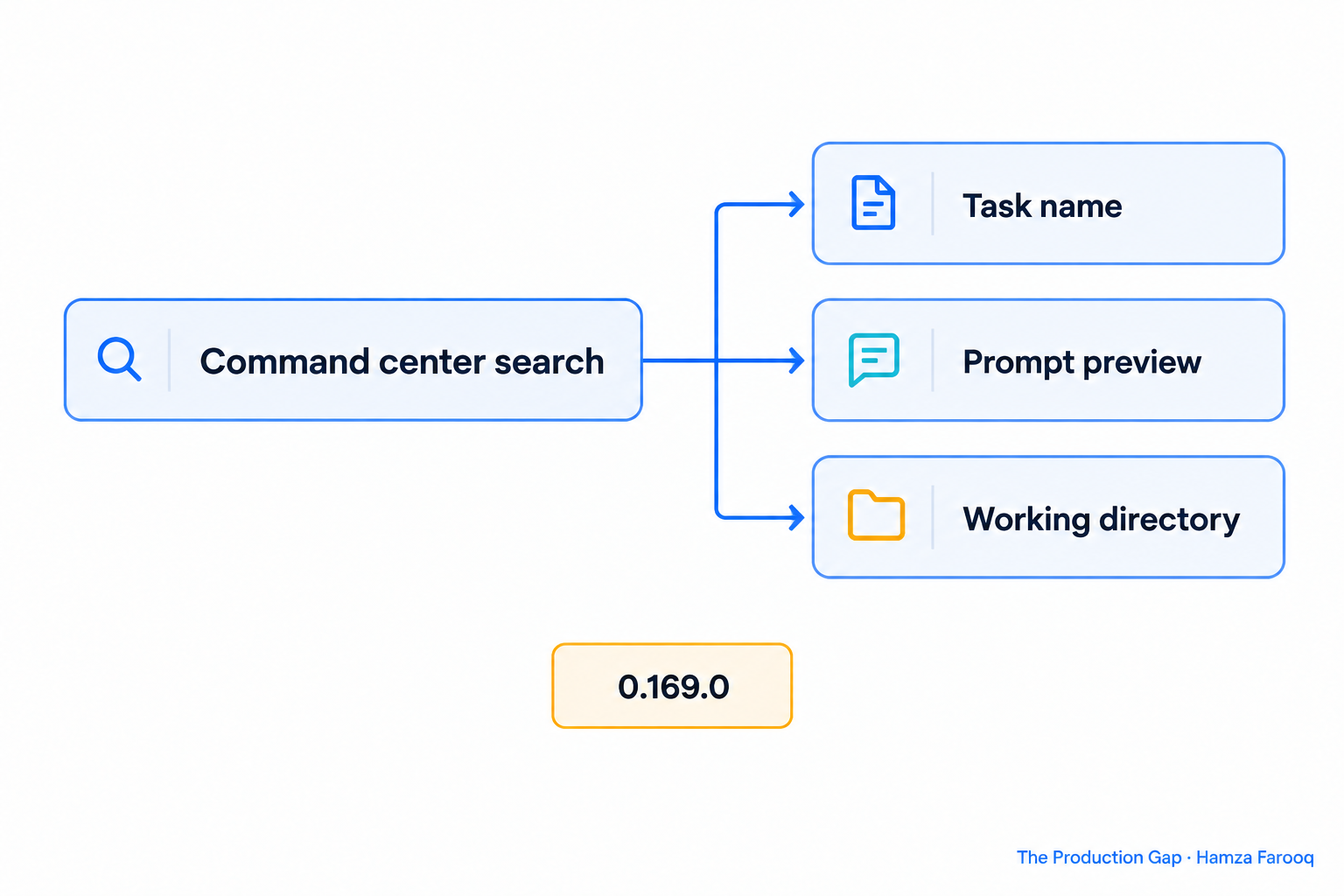
Version 0.169.0 adds search over older tasks. The Codex changelog dates 0.169.0 as 13 November 2026 and says you can "search older tasks from the agent command center by name, prompt preview, or working directory." The 0.169.0 release notes carry the same line, and the matching changelog title is "Search task history from the command center."
The notes do not say whether the search handles partial matches or how it ranks results, so treat those as unknown.
The same hackernoon author recommends giving important tasks clear, unique names. That advice was written for the earlier dashboard, which the 0.149.0 notes say can rename tasks. Search by name is a reason to follow it.
What does a supervision routine look like?
- Open the command center with
codex agents --no-daemonand scan for unread results. - Open the tasks with unread results first, and review the transcript.
- Use the session picker to switch connected backends when you need to, which keeps your drafts.
- Search by name, prompt preview or working directory to find an older task.
Parallel work still has a cost. The hackernoon author writes that the dashboard "does not make parallel work free," and says that what it removes is the navigation cost. Each extra session still produces output to read and decisions to make.
| Feature | Version | Date | What the notes say |
|---|---|---|---|
Interactive codex agents dashboard |
0.149.0 | Aug | Search, start, open, rename and stop tasks |
Command center via codex agents --no-daemon |
0.167.0 | 6 Nov | Opens the agent command center |
| Unread markers | 0.167.0 | 6 Nov | Marked in the command center and session picker |
| Backend switching with drafts kept | 0.167.0 | 6 Nov | From the terminal session picker |
| Task history search | 0.169.0 | 13 Nov | By name, prompt preview or working directory |
Frequently Asked Questions
How do I open the Codex agent command center?
Run codex agents --no-daemon. The 0.167.0 release notes give this as the way to open it. They do not explain what the --no-daemon flag does, so check the CLI help output in your installed version if you need that detail.
Does Codex show which agent sessions have unread results?
Yes. Since 0.167.0, the command center and the session picker both mark unread results. The changelog also lists a change that acknowledges viewed transcripts in the picker, but the notes do not describe the exact clearing behavior.
Can I search for an old Codex task?
Yes, from 0.169.0. The command center searches older tasks by name, prompt preview or working directory. The notes do not cover partial matching or result ranking.
Can I switch backends without losing a draft?
The 0.167.0 notes say you can switch between connected backends from the terminal session picker and keep your drafts. They do not say which backends qualify or what a draft includes.
Conclusion
Version 0.167.0 added unread markers and backend switching with drafts kept, and 0.169.0 added search over older tasks from the command center. Update to 0.169.0 or later, run codex agents --no-daemon, and name your tasks so search can find them. Test backend switching on a low-stakes session first, since the notes leave its limits unstated.
Learn from me

Claude Code in Practice, my Maven cohort. Master Claude Code from fundamentals to advanced orchestration: skills, subagents, hooks, MCP, and production automation. Join the next cohort →
Hire us
Traversaal.ai. We're a team of forward deployed engineers solving the toughest AI problems for Fortune 100 companies: document intelligence, agentic data platforms, and real-time web intelligence, deployed in production. Work with our team to deploy your next agentic ecosystem. Talk to Traversaal.ai →
Join us
Want to solve these problems with us? We're always looking for forward deployed engineers who want to ship production AI. jobs@traversaal.ai